


CLOUDZAT · BLACK FRIDAY 2026
Updated · 26 Nov 2026 15:06 UTC
Black Friday offers and current Amazon listings

Asustor Lockerstor 4 Gen3 AS6804T, 4 Bay Enterprise NAS for Enthusiasts | AMD Ryzen 3.8GHz Quad-Core, 16GB ECC DDR5, 4 M.2 NVMe Slots, Dual 5GbE & 10GbE Port, Network Attached Storage (Diskless)
−15% · Amazon reference price: $1,517.99
Verified 2026-11-26 14:38:53 UTC

Asustor Lockerstor 4 Gen3 AS6804T, 4 Bay NAS, AMD Ryzen Quad-Core 2.3 GHz, 16GB RAM ECC DDR5, 4 M.2 NVMe Slots, Dual 5GbE and Dual 10GbE Port, USB 4.0 Type-C, Network Attached Storage (Diskless) - Ryz
Verified 2026-11-26 14:38:53 UTC
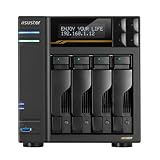
Asustor / DiscTech 18TB NAS Bundle: AS6804T Lockerstor 4 Gen3 NAS Server with 4x4TB SATA HDD and 2x1TB NVMe M.2 SSDs, 16GB RAM, Dual 10GbE and Dual 5GbE LAN Ports
Verified 2026-11-26 14:38:53 UTC
Asustor / DiscTech 20TB NAS Bundle: AS6804T Lockerstor 4 Gen3 NAS Server with 4x4TB SATA HDD and 4x1TB NVMe M.2 SSDs, 16GB RAM, Dual 10GbE and Dual 5GbE LAN Ports
Verified 2026-11-26 14:38:53 UTC
Prices and stock reflect the last successful check shown on each card. Discounts and Black Friday badges appear only when reported by Amazon. The checkout price applies. As an Amazon Associate, Cloudzat earns from qualifying purchases.
Our buying recommendation
Buy the ASUSTOR Lockerstor 4 Gen3 AS6804T if you need shared local storage for multiple users, planned redundancy, and room to expand. Skip it if your goal is only simple personal backup, because the diskless enclosure plus drives is overkill for that job. Choose the ASUSTOR AS5404T for ordinary home NAS use, the UGREEN DXP4800 Plus for a mixed home/creator workflow, or the Synology DS925+ if you prefer Synology’s software environment. During the official U.S. campaign window, the enclosure offer is attractive, but it is only one part of the final storage investment.
The ASUSTOR Lockerstor 4 Gen3 AS6804T is not the kind of NAS you buy because you want a neat box on a shelf. You buy it when storage has become a shared job: several people need access, files keep moving, and a pile of external drives no longer feels orderly. That is what makes this Black Friday decision different from a simple impulse purchase. The right question is not whether the chassis looks impressive, but whether your workflow is demanding enough to justify a four-bay NAS with redundancy, room to grow, and a real place in your local network.
The total cost is broader than the enclosure because this model is diskless. The campaign price only gets you the NAS itself; usable storage appears only after you add drives, and some of that capacity may be set aside for redundancy. That means the AS6804T is a poor fit for someone who just wants one more backup destination for a laptop. It is a much better fit when the NAS is meant to become a shared storage center for a household, a studio, or a small team that keeps active files moving every day.
Compatibility and alternatives matter as much as the chassis. If you want an ASUSTOR four-bay platform and your storage needs are genuinely demanding, the AS6804T deserves attention. If you want a more ordinary home NAS, the ASUSTOR AS5404T is the cleaner choice. If your workflow mixes home use with creator work, the UGREEN DXP4800 Plus is the more direct cross-brand alternative. If you already prefer Synology’s software ecosystem, the DS925+ is the better direction. For cloud storage, pCloud is the long-term option to consider when remote access and zero-knowledge features matter, but it does not replace a NAS or a backup plan.
Choose the right option for your setup
| Scenario | What to buy | Why it fits |
|---|---|---|
| You need a central storage hub for several people | ASUSTOR Lockerstor 4 Gen3 AS6804T | Four bays, shared access, and growth room make sense when storage is a team resource instead of a single-user archive |
| You want an everyday home NAS without overbuying | ASUSTOR AS5404T | This is the more restrained choice for family files, light media, and routine backup needs |
| You want a mixed home and creator setup | UGREEN DXP4800 Plus | A strong cross-brand comparison when your storage needs include active projects, not just archive space |
| You prefer Synology’s software ecosystem | Synology DS925+ | Best when the software experience matters more than matching ASUSTOR’s hardware direction |
| You only need offsite file access or long-term cloud storage | pCloud | Useful for remote access and zero-knowledge features, but it is not a substitute for a NAS or independent backup |
Why the AS6804T makes sense for the right buyer
The AS6804T belongs in the category of products that should be purchased to solve a real workflow problem, not to satisfy a sale-driven hunch. Four bays matter because they give you flexibility in how you build the storage pool, how you think about redundancy, and how you plan for future growth. That flexibility is valuable when more than one person uses the system or when files need to remain available every day. A household photo archive, a small creative team, a home office with active project folders, or a family that constantly passes files between devices can all justify this kind of NAS better than a single-user backup scenario can.
The practical value of the chassis is coordination. Instead of scattered drives, confusing file copies, and ad hoc sharing methods, you get one local storage center that people can actually rely on. That is why this model can feel transformative in a busy environment and unnecessary in a quiet one. If your current storage problem is mostly about convenience, this may be too much machine. If your problem is friction, duplication, or shared access that keeps breaking down, a four-bay NAS is the right class of tool. The Black Friday timing matters only after you have decided that this category matches your workload.
What diskless really means for the buyer
A diskless NAS is not a ready-made storage total. The enclosure price gets you the NAS hardware and its software environment, but no usable file capacity until you add drives. That detail changes the buying decision more than many shoppers expect. Drives determine how much you can store, how much redundancy you can afford, and how much of the installed capacity will remain available for everyday use. If you choose a redundancy setup, some storage space is intentionally reserved so the system can keep running through a drive failure. That is a tradeoff, not a flaw, and it is part of the reason serious NAS buyers value multi-bay designs.
This is also why the AS6804T is not cost-efficient for a simple one-person backup job. A lone laptop owner who mainly wants one safe copy of documents is often better served by a simpler NAS, a direct-attached drive, or a cloud plan. The AS6804T begins to make sense when the enclosure is supporting more than one user or more than one type of file activity. At that point, the value is not just capacity. It is the combination of shared access, organized storage, and a layout that can handle growth without forcing an immediate replacement.
How to think about drives, redundancy, and usable capacity
The drive decision is where many buyers either get the NAS right or get it wrong. Larger drives offer more total storage and more future headroom, but they also raise the overall investment. Smaller drives can work if your needs are modest, but they may fill too quickly if the NAS becomes more central to your workflow than expected. The key is to match the drive plan to the actual pace of your files. If your storage grows because of ongoing projects, a conservative purchase can become cramped fast. If your storage is mostly stable archives, you may not need aggressive expansion at all.
Redundancy deserves special attention because it is often misunderstood. It helps the system remain usable if a drive fails, but it does not magically create extra space, and it does not protect against every kind of data loss. If someone deletes the wrong folder, syncs the wrong version, or loses the whole system to theft or disaster, redundancy alone does not solve that problem. That is why a NAS should be treated as one layer in a storage plan. The AS6804T can be that layer very well, but only when the buyer understands the difference between available capacity and resilience.
Who should buy this instead of a simpler home NAS
Buy the AS6804T when your storage workflow is active, shared, and likely to keep growing. That usually means several users, several devices, or several project folders that need to stay organized in one place. It also means you care about keeping data local instead of relying entirely on cloud services. The AS6804T is a better fit when the NAS is part of your everyday routine, not just an occasional archive that sits in the corner. In that environment, the four-bay format earns its keep because it gives you options instead of forcing a small, fixed setup.
Skip it when your needs are more ordinary. A single household user who wants basic media storage, family file sharing, or laptop backup often does better with the ASUSTOR AS5404T. That model is the more disciplined purchase because it avoids paying for capability that may never be used. The same logic applies if your network or home setup is not ready for a bigger shared-storage system. The smarter Black Friday move is to buy the NAS that matches the workload you have now, not the one that looks most impressive in the cart.
When the alternatives are the better purchase
The ASUSTOR AS5404T is the best alternative when the buyer wants a home NAS but does not need the more demanding posture of the AS6804T. It is the practical choice for a family library, modest backup duties, or shared documents without the pressure of a larger multi-user environment. The UGREEN DXP4800 Plus is the better comparison when your needs blend home storage and creator work, because it gives you another vendor path without forcing you into the ASUSTOR software experience. The Synology DS925+ belongs in the conversation when the software ecosystem is the main reason to buy, not the hardware shape alone.
Those alternatives are not interchangeable in a vague way; they answer different buying questions. If the question is, “Do I need a more capable NAS than a simple home box?” then the AS6804T is the serious candidate. If the question is, “Do I want a reliable but less ambitious home NAS?” then the AS5404T is the cleaner answer. If the question is, “I care more about the software environment than the brand name on the chassis,” Synology becomes the rational direction. That kind of clear comparison is what prevents an expensive regret purchase.
What the official campaign changes and what it does not
The official U.S. campaign window makes the enclosure easier to justify, but it does not change what the product is. A discount cannot turn a four-bay NAS into a simple backup accessory, and it cannot remove the need to budget for drives. That is the most important buyer lesson here. The campaign helps if the AS6804T was already a sensible fit for your storage plan. It does not create a new need. That is especially important in a category where the enclosure is only one piece of the final system cost.
It is also important to distinguish the first-year purchase from later renewal or expansion decisions. For cloud services, introductory terms and renewal terms may differ, and one-time plans behave differently from subscription plans. That applies to pCloud and similar services, not to the NAS chassis itself. The NAS is a hardware purchase, while cloud storage is an ongoing service choice. If you want a long-term cloud layer, pCloud is the right name to keep in view, but it remains a complementary option. The AS6804T and pCloud solve different problems, and neither should be treated as a drop-in replacement for the other.
How to think about backup versus local storage
A NAS can keep your files organized and available, but it should not be mistaken for a complete backup strategy. Redundancy helps the system survive a drive failure and keep working, which is valuable, but that is not the same as protecting against deletion, corruption, ransomware, or physical loss. The buyer who understands that difference is already ahead of the common mistake. The AS6804T is strongest as a local shared-storage hub, where people need fast access and consistent organization. It becomes even more useful when paired with a separate backup layer.
If your offsite layer is cloud-based, pCloud is the most relevant long-term option in this guide because it serves the remote-access and zero-knowledge use case without pretending to be a NAS. That said, cloud storage is still a different tool from a local multi-bay enclosure. The cleanest mental model is simple: the NAS is for daily work and shared local access, backup is for recovery, and cloud storage is for offsite convenience or resilience where it fits. When you separate those roles, the AS6804T becomes easier to value accurately.
Final buying call: when to choose it and when to walk away
Choose the ASUSTOR Lockerstor 4 Gen3 AS6804T if you can describe your storage problem in concrete terms: multiple users, ongoing file movement, and a need for local control that simple external drives cannot provide. In that situation, the four-bay design, redundancy planning, and expansion room all make sense. The enclosure is still only part of the total investment, but it is the right foundation for a serious shared-storage setup. If you have already been living with messy storage habits and want one system that can absorb them, this is the kind of NAS that can make a real difference.
Walk away if you are buying mainly because the product is on sale. That is the wrong reason in this category, especially when your need is modest. The ASUSTOR AS5404T is the cleaner home-NAS choice, the UGREEN DXP4800 Plus is the stronger mixed-workflow alternative, and the Synology DS925+ is the better route if you know you prefer Synology’s software ecosystem. If cloud storage is the actual requirement, pCloud belongs in that conversation instead. The best Black Friday decision is not the biggest purchase; it is the one that matches the job.
Suitable alternatives — different models
These are different products. Our guide explains which one to choose for your setup.

Black Friday Deal
UGREEN NAS UPS US3000, 120W DC and 12000mAh Battery Backup | Uninterruptible Battery Power Supply Compatible for DH2300, DH4300 Plus, DXP2800, DXP4800 Plus, DXP4800 Pro, DXP480T Plus
−19% · Amazon reference price: $109.99
Verified 2026-11-26 12:11:09 UTC

Asustor Lockerstor 4 Gen2+ AS6704T v2 4 Bay NAS for Content Creators | Dual 5GbE Ports, 4GB DDR4, 4 M.2 SSD Slots, HDMI, Plex Media Server, Video Editing, Network Attached Storage (Diskless)
Verified 2026-11-26 14:38:53 UTC

Asustor Lockerstor 4 Gen2+ AS6704T v2 with 4 x 4TB SSD (WDS400T4B0E), 4 Bay NAS Storage, Intel Quad-Core 2.0GHz CPU, Dual 5GbE Ports, 4GB RAM DDR4, 4 M.2 SSD Slots, HDMI, Network Attached Storage
Verified 2026-11-26 14:38:53 UTC

UGREEN DXP4800 Plus & US3000, 12000mAh Uninterruptible Battery Power Supply Bundle NAS DXP4800 Plus
−10% · Amazon reference price: $766.98
Verified 2026-11-26 14:05:42 UTC

SYNOLOGY DS925+ 4-Bay DiskStation (up to 9-Bay), AMD Ryzen V1500B, 4GB RAM
Verified 2026-11-26 14:00:33 UTC

UGREEN DXP4800 Plus 4-Bay NAS for Families, Creators & Small Teams | 4K Home Media, File Server & Hardware Transcoding, Intel 8505, 8GB DDR5, 10GbE&2.5GbE, Built-in 128G SSD, 2xM.2 NVMe,Diskless
−10% · Amazon reference price: $729.99
Verified 2026-11-26 14:00:33 UTC
Questions answered
Is the ASUSTOR Lockerstor 4 Gen3 AS6804T a good Black Friday buy?
Yes, if you need a four-bay NAS for shared local storage, planned redundancy, and room to grow. It is not a great buy for a simple personal backup setup, because the diskless enclosure plus drives is more than that use case usually needs.
What does diskless mean for this NAS?
Diskless means the enclosure does not include storage drives. The listed campaign offer covers the NAS hardware only, so your real storage capacity and final cost depend on the drives you add afterward. That is why the enclosure price is only part of the full decision.
How should I think about redundancy and usable capacity?
Redundancy helps the system keep working if a drive fails, but it reduces the amount of space you can use for files. That tradeoff is normal and useful. It improves availability, but it is not the same as having extra free storage or a full backup.
Is this a replacement for backup?
No. A NAS can provide shared access and some protection against a drive failure, but it does not replace independent backup. Deleted files, ransomware, theft, and other disasters still require a separate recovery plan. Think of the NAS as one layer, not the whole strategy.
Should I choose the AS6804T or the AS5404T?
Choose the AS6804T if you need a more demanding four-bay platform for multi-user or growing storage needs. Choose the AS5404T if your home NAS needs are more ordinary and you want a simpler, more restrained setup that avoids paying for extra headroom you may not use.
Where do pCloud and Unraid fit in this decision?
pCloud fits when long-term cloud storage, remote access, and zero-knowledge features are part of the plan. Unraid is the stronger choice for a flexible homelab storage setup. Neither should be forced into this NAS purchase unless it matches your actual storage goal.
Related buying guides
Offer verification
Research checked November 26, 2026. Provider’s published terms and product information.