


the UK
Ryzen 9800X3D vs 9700X UK: Which CPU Is Worth the Extra Cost?
Choose the Ryzen 7 9700X for a lower-cost balanced AM5 build that leaves more money for the GPU and other parts. Choose the Ryzen 7 9800X3D when demanding high-refresh gaming is the main priority and its local premium fits the complete budget. Both have eight cores and use AM5 with DDR5; the X3D choice is about gaming-focused cache, not extra cores.
Choose the right option
Ryzen 7 9700X
Balanced starting choice; preserve budget for the graphics card and enough memory.
Compare exact offers ↓Ryzen 7 9800X3D
For a gaming-first system aiming at high frame rates in games that benefit from the cache.
Compare exact offers ↓Amazon offers in the UK
Confirm the selected capacity, seller and delivered total.

AMD Ryzen 7 9700X
AMD Ryzen 7 9700X Tray
Exact part: check board and BIOS support
£254.11Price observed 02.11.2026 09:03 UTCBuy on Amazon ↗
AMD Ryzen 7 9800X3D
AMD Ryzen 7 9800X3D Octa Core 5.2GHz 96MB (Unboxed/Fansless) TRAY Processor
Exact part: check board and BIOS support
£436.99Price observed 02.11.2026 09:03 UTCBuy on Amazon ↗As an Amazon Associate, Cloudzat earns from qualifying purchases. Prices are dated observations and can change. Check the exact variant and delivery to your address before ordering.
Current PC Upgrade Deals on Amazon
Adjacent alternatives: compare capacity and compatibility before substituting.
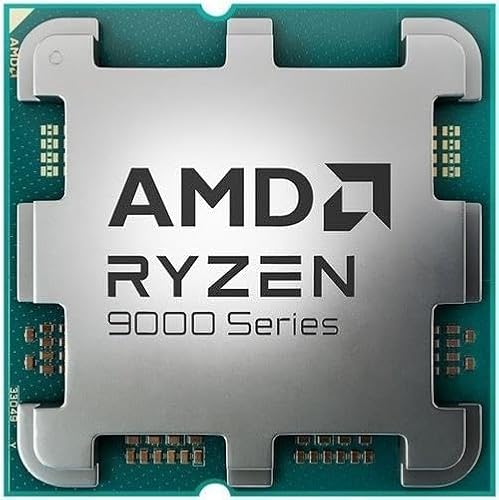
AMD Ryzen 5 9600X
AMD Ryzen 5 9600X Tray
Exact part: check board and BIOS support
£174.95Price observed 02.11.2026 09:04 UTCBuy on Amazon ↗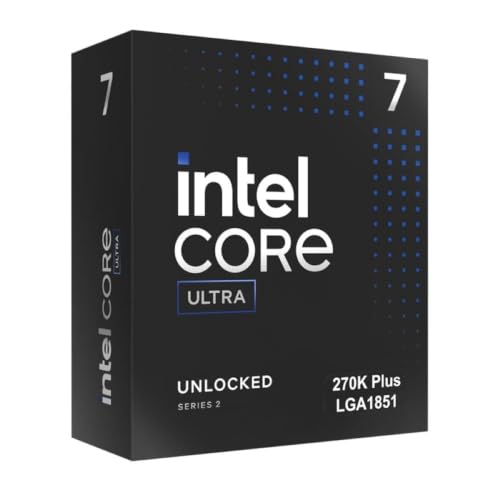
Intel Core Ultra 7 Processor 270K Plus
Intel Core Ultra 7 Processor 270K Plus, up to 5.5 GHz, LGA1851 Socket, PCIe 5.0, DDR5 Support, 125W TDP
Exact part: check board and BIOS support
£284.97Price observed 02.11.2026 06:23 UTCBuy on Amazon ↗
AMD Ryzen 7 5800X3D
AMD Ryzen 7 5800X3D Processeur 10TH ANNIVERSARY (8 Cores/16 Threads, Socket AM4, 105W TDP, 100 Mo Cache, up to 4.5 GHz Frequency Boost, no heatsink)
Exact part: check board and BIOS support
£304.99Price observed 02.11.2026 06:23 UTCBuy on Amazon ↗
Intel Core Ultra 7 Desktop Processor, 265K, 20 Core (8P Core + 12 E-Cores) up to 5.5GHz
Intel Core Ultra 7 Desktop Processor, 265K, 20 Core (8P Core + 12 E-Cores) up to 5.5GHz
Exact part: check board and BIOS support
£330.00Price observed 02.11.2026 06:23 UTCBuy on Amazon ↗Buying guide
Which exact option is worth buying?
| Option | What it buys |
|---|---|
| Ryzen 7 9700X | Balanced starting choice; preserve budget for the graphics card and enough memory. |
| Ryzen 7 9800X3D | For a gaming-first system aiming at high frame rates in games that benefit from the cache. |
The useful difference between these processors
The 9700X and 9800X3D are both eight-core, sixteen-thread AM5 processors. The 9800X3D adds a larger cache designed to benefit suitable gaming workloads. The 9700X is the more balanced lower-cost direction when the PC also needs a stronger graphics card, more storage or a better display within a fixed budget. The CPU name alone should not consume the whole system budget.
For CPU-limited gaming at a high refresh target, the 9800X3D is the more specialised choice of this pair. For general work and gaming where the graphics card is already the main restriction, the 9700X can be the more sensible purchase. There is no universal improvement percentage that applies across every game, resolution and graphics setting.
Who should pay for the 9800X3D?
Choose the 9800X3D when the system is built primarily for demanding gaming and the rest of the hardware is strong enough to use the CPU headroom. Competitive high-refresh play and games with heavy CPU work are the obvious reasons to consider it. Its value is less clear when buying it forces a large downgrade to the graphics card that actually sets the performance limit.
A high-resolution screen does not eliminate every CPU bottleneck, but visually demanding settings can shift more of the load onto the GPU. If a balanced CPU already keeps the graphics card busy, more CPU spending can have a smaller visible effect. The X3D processor is not wasted merely because it is powerful; it is poor value when the premium fails to improve the part of the experience you care about.
Who should choose the 9700X?
The 9700X suits a mixed-use computer that needs capable CPU performance without making the processor the largest discretionary expense. It is a reasonable starting point for ordinary work, creative applications and gaming in one machine. The savings can pay for useful RAM capacity, a larger SSD or a higher GPU tier. Those changes may matter more to the completed system than the CPU difference alone.
Do not interpret this as a claim that the 9700X wins every productivity task or that the 9800X3D is only capable of games. Both are modern eight-core processors, and application results vary. The buying distinction is the purpose of the premium. If gaming is occasional and the budget is tight, the less expensive suitable CPU is often the cleaner choice.
Both require the same platform generation
Both processors need an AM5 motherboard and DDR5 memory. Neither fits an AM4 board or reuses DDR4 directly. If you already have a suitable AM5 system, the board may be reusable with the required BIOS. If you are changing from AM4 or another platform, include the board and RAM in the total instead of comparing only the two CPU stickers.
A supported B650 board can be a valid partner; B850 is not compulsory merely because the CPU is newer. Choose the exact board for useful connections, storage layout and CPU support. An expensive board does not make the processor inherently faster in every game. Keep enough budget for the components that determine your actual workload.
Cooling and power are part of the purchase
AMD lists a 65 W default TDP for the 9700X and 120 W for the 9800X3D. TDP is a design specification, not the measured power consumption of the whole PC. Do not turn those figures into an electricity-bill prediction. They do show why cooling requirements should be treated as part of the chosen configuration rather than an afterthought.
Neither CPU should be assumed to arrive with a cooler. A suitable cooler, mounting hardware and case clearance belong in the budget. AMD's cooling guidance differs between these processors; follow the requirements of the exact setup. Paying for a CPU while leaving it with inadequate cooling is not a good way to obtain the expected sustained behaviour.
Memory and graphics should stay balanced
For a gaming-focused new system, 32 GB in two suitable DDR5 modules is a useful starting point. Larger creative workloads and extensive multitasking may need 64 GB. More RAM is working capacity rather than a substitute for the CPU cache, and a premium memory speed is not more important than having enough capacity. Profile speeds also depend on the board, BIOS and processor combination.
Choose the graphics card for the screen, games and settings. A 9800X3D paired with a compromised GPU can be less useful than a 9700X paired with a stronger appropriate GPU. On the other hand, a system already equipped with a strong card can have a clearer reason to buy the gaming-focused CPU. Consider the pairing rather than ranking the processor in isolation.
Our purchase recommendation
Buy the 9700X when controlling the full system cost is the main priority and it meets the workload. Buy the 9800X3D when gaming is the main purpose, high refresh rates matter and the additional cost does not undermine the rest of the build. Keep a suitable existing processor when neither upgrade solves a meaningful problem. These are choices within this comparison, not a claim that either model is the newest or best CPU in the entire market.
The local price difference below shows what the premium actually costs in the reviewed offers. A large premium needs a correspondingly important gaming benefit; a smaller gap makes the X3D option easier to justify. The optional calculator can add board, memory and cooling, but it does not generate a performance score. The recommendation remains based on the intended use and the completed build.
Compare complete platform upgrade costs
Enter actual prices. Add only charges not already included, including your applicable tax, delivery and required extras.
Frequently asked questions
Does the 9800X3D have more cores?
No. Both processors have eight cores and sixteen threads. The gaming-focused cache is the important distinction in this comparison.
Do I need a B850 motherboard?
Not automatically. A suitable supported AM5 board, including an appropriate B650 model with the required BIOS, can be used.
Is the 9700X a poor gaming CPU?
No. It is a balanced option that can leave budget for other useful parts. The 9800X3D is the more specialised gaming choice when its premium is justified.
Related buying guides
- B650 vs B850 Motherboards UK: Which Features Are Worth Paying For?
- Best CPU for RTX 5070 UK: Which Processor and Platform Should You Buy?
- AM5 Upgrade Bundles UK: Compare CPU, Motherboard and RAM Costs
- Cpu Finder
- Ddr4 Vs Ddr5 Ram Price