


United Kingdom
Gaming PC Prices UK: Should You Buy a Prebuilt PC or Build Your Own?
Buy ZeroLag: Ryzen 5 9600X, RTX 5060, 32 GB DDR5, 1 TB SSD. Our value choice for a new 1080p gaming PC with an AM5 platform. Choose CyberPowerPC Luxe: Ryzen 7 5700X, RTX 5070, 32 GB RAM, 1 TB SSD. Buy for stronger 1440p graphics on the older AM4 platform.
Choose an exact model
ZeroLag: Ryzen 5 9600X, RTX 5060, 32 GB DDR5, 1 TB SSD
Our value choice for a new 1080p gaming PC with an AM5 platform.
See the offer ↓CyberPowerPC Luxe: Ryzen 7 5700X, RTX 5070, 32 GB RAM, 1 TB SSD
Buy for stronger 1440p graphics on the older AM4 platform.
See the offer ↓Alternative : XUM Elite Gaming PC · RTX 5060 · 32 GB RAM · 500 GB SSD.
Amazon offers in United Kingdom
42 qualified local offers · GBP · Confirm delivery and checkout total.

Alternative offer
ZeroLag Gaming PC - AMD Ryzen 5 9600X, Nvidia RTX 5060, 32GB DDR5 RAM, 1TB NVMe SSD, 80+ PSU, Wi-Fi 6E/Bluetooth, Windows 11 Pro, ARGB Case
RTX 5060 · 32 GB RAM · 1 TB SSD
£888.00Price observed 02.11.2026 06:23 UTCBuy on Amazon ↗
Alternative offer
CyberPowerPC Luxe Gaming PC - AMD Ryzen 7 5700X, Nvidia RTX 5070, 32GB RAM, 1TB NVMe SSD, 650W PSU, Wi-Fi, Windows 11, Liquid Cooling, Ark Curve Black
RTX 5070 · 32 GB RAM · 1 TB SSD
£1,569.00Price observed 02.11.2026 06:22 UTCBuy on Amazon ↗
Alternative offer
XUM Elite Gaming PC Ryzen 5 5500 RTX 5060 32GB RAM 500GB SSD 700W | AMD Ryzen 5 5500, RTX 5060 8GB, 32GB DDR4 RAM, 500GB NVMe SSD, , 700W 80+ Bronze PSU, WiFi 5, Win 11 Home
RTX 5060 · 32 GB RAM · 500 GB SSD
£880.99Price observed 02.11.2026 06:22 UTCBuy on Amazon ↗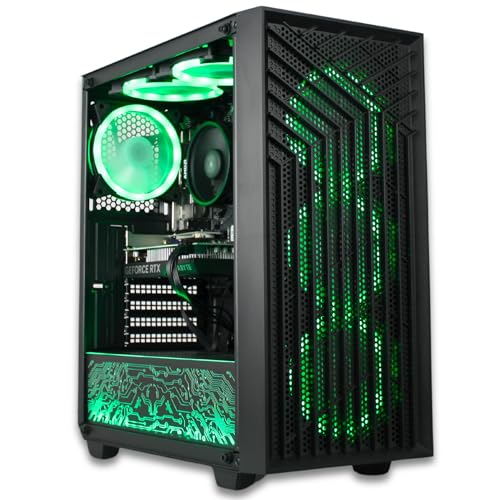
Alternative offer
XUM Spartan Gaming PC Ryzen 5 5500 RTX 5060 32GB RAM 512GB SSD | AMD Ryzen 5 5500, RTX 5060 8GB, 32GB RAM, 512GB NVMe SSD, , 700W PSU, WiFi, Windows 11 Home
RTX 5060 · 32 GB RAM · 512 GB SSD
£880.99Price observed 02.11.2026 06:22 UTCBuy on Amazon ↗
Alternative offer
XUM Legend Gaming PC Ryzen 5 5500 RTX 5060 32GB RAM 500GB SSD 700W | AMD Ryzen 5 5500, NVIDIA RTX 5060 8GB, 32GB DDR4 RAM, 500GB NVMe SSD, 700W PSU, WiFi, RGB Lighting, Windows 11
RTX 5060 · 32 GB RAM · 500 GB SSD
£898.99Price observed 02.11.2026 06:22 UTCBuy on Amazon ↗
Alternative offer
XUM Vista Gaming PC Ryzen 5 5500 RTX 5060 32GB RAM 500GB SSD Win 11 | Ryzen 5 5500, RTX 5060 8GB, 32GB DDR4, 500GB NVMe SSD, , 700W 80+ Bronze PSU, WiFi 5, Windows 11 Home
RTX 5060 · 32 GB RAM · 500 GB SSD
£898.99Price observed 02.11.2026 06:22 UTCBuy on Amazon ↗
Alternative offer
XUM CMP 510 Gaming PC Ryzen 5 5500 RTX 5060 32GB RAM 512GB SSD | AMD Ryzen 5 5500, RTX 5060 8GB, 32GB DDR4 RAM, 512GB NVMe SSD, , 650W PSU 80+ Bronze, WiFi 5, Windows 11 Home
RTX 5060 · 32 GB RAM · 512 GB SSD
£898.99Price observed 02.11.2026 06:22 UTCBuy on Amazon ↗
Alternative offer
XUM Legend Prebuilt Gaming PC i5-12400F RTX 5060 32GB RAM 512GB SSD
RTX 5060 · 32 GB RAM · 512 GB SSD
£907.99Price observed 02.11.2026 06:22 UTCBuy on Amazon ↗As an Amazon Associate, Cloudzat earns from qualifying purchases. Dated observations can change; confirm the exact variant, seller and total before buying.
Buying guide
The complete PC to buy
Our pick is ZeroLag: Ryzen 5 9600X, RTX 5060, 32 GB DDR5, 1 TB SSD. Our value choice for a new 1080p gaming PC with an AM5 platform.
The alternative is CyberPowerPC Luxe: Ryzen 7 5700X, RTX 5070, 32 GB RAM, 1 TB SSD. Buy for stronger 1440p graphics on the older AM4 platform.
For this purchase, the first named system is our recommendation. Its installed CPU, RAM and SSD are part of the value, not merely the graphics label. The alternative is worth the extra money only for the role stated above. If the first system already meets your screen and game needs, buy it and keep the saving.
For an older-platform value pick, accept that the next major CPU change may also require a motherboard and memory change. For a newer AM5 alternative, the initial price buys a different platform as well as the named processor. Neither choice needs an immediate upgrade simply to be usable. Buy the complete configuration you intend to run now.
| Choice | Installed configuration | Buy it for |
|---|---|---|
| Our pick | ZeroLag: Ryzen 5 9600X, RTX 5060, 32 GB DDR5, 1 TB SSD | Our value choice for a new 1080p gaming PC with an AM5 platform. |
| Alternative | CyberPowerPC Luxe: Ryzen 7 5700X, RTX 5070, 32 GB RAM, 1 TB SSD | Buy for stronger 1440p graphics on the older AM4 platform. |
Buy a balanced complete system
For a new ordinary gaming desktop, our starting specification is 32 GB of RAM and at least a 1 TB SSD alongside the graphics card appropriate to the screen. Choose 2 TB when you want several large games installed together. A 16 GB configuration can serve as a lower-cost option, but it is a smaller installed-memory purchase. The named recommendation above states what is actually included.
A complete PC with an older processor can be a sensible value choice when the saving is large and the game is mainly demanding on the graphics card. For very high frame rates, busy simulation scenes or a platform you intend to upgrade, our newer-platform alternative is the better direction. Paying for a faster processor should solve that need rather than taking money away from a graphics tier required for your screen.
Choose the display target before the expensive graphics tier
For a budget 1080p setup, a suitably equipped RTX 5060 or RX 9060 XT system is our starting direction. For a more capable 1440p build, move toward an RTX 5070, RTX 5070 Ti or RX 9070 XT according to the named local choice. Reserve the RTX 5080 budget for demanding high-resolution graphics or a specific application that benefits from it. These are buying directions, not guaranteed frame rates in every game.
An 8 GB RTX 5060 Ti and a 16 GB RTX 5060 Ti are different purchases. Where our lower-cost system contains 8 GB, it is explicitly an 8 GB choice. It should not be sold as a 16 GB creative workstation. Equally, 32 GB of system RAM does not turn an 8 GB graphics card into a card with 40 GB of dedicated graphics memory. Capacity and processing performance answer different questions.
What the newer platform buys
Ryzen 5000 desktop configurations generally keep the older AM4 and DDR4 platform. The Ryzen 7000 and 9000 desktop options shown here use AM5 and DDR5. Buying the newer platform can make sense for a fresh system with future CPU changes in mind, but supported upgrades still depend on the exact motherboard and BIOS. A cheaper AM4 complete PC can be worth buying without pretending it offers the same future parts route.
Do not pay for an expensive processor solely because a store calls it an i7 or Ryzen 9. The full model matters. A named modern six- or eight-core CPU can be a more useful gaming choice than an unspecified old high-tier label. Our recommended configurations use explicit processors. Keep the full CPU name in the selected store variant, especially when several systems share a common photograph.
Where extra RAM and SSD space help
Choose 32 GB for ordinary gaming with a browser and everyday applications open. Buy 64 GB for heavier creative projects or several substantial virtual machines, not as a compulsory gaming upgrade. If the selected budget system has 16 GB, allow for a supported matched 32 GB kit when that is your actual requirement. The number of modules and spare slots decide how simple that change will be.
Storage buys room for installed games, downloads and projects. A larger SSD does not automatically increase the frame rate. For a growing game library, the 2 TB version can be more useful than decorative case upgrades. A 1 TB system remains sensible for a smaller rotating collection. Do not count a mechanical hard drive as an equivalent amount of fast SSD working storage.
The parts worth confirming before ordering
The listed power-supply wattage is useful, but a wattage or efficiency badge alone does not identify the actual unit. Our picks state the supply rating when it is named; the exact PSU and motherboard models may still need the seller's written specification. For a substantial GPU upgrade later, those details decide the connectors and available room. Unknown parts are not awarded the value of a premium model by assumption.
A liquid-cooling label or glass case is not proof of a quieter computer. Buy useful airflow and appropriate cooling before decorative extras. Wi-Fi and Bluetooth also need to be included when you will use them. Connect a gaming monitor to the graphics card's outputs. A motherboard output is not a substitute on a processor without usable integrated graphics.
Our choice between prebuilt and self-build
Buy the recommended complete PC when you want a working system with assembly and a clear seller to contact. Build your own when choosing each exact part is important and you are comfortable assembling and supporting it. A few cheaper headline parts do not make a complete alternative until the motherboard, memory, SSD, PSU, case, cooling and required operating system are included.
We do not claim a fixed self-build saving without a complete matching parts basket. For a buyer who simply wants to play, a well-specified prebuilt is a useful purchase in its own right. Choose the stronger alternative when its named CPU, graphics or storage benefit serves your actual use; otherwise buy the first pick and keep the saving. Extra accessories that you already own need not be purchased again.
Compare the complete purchase cost
Check the checkout amounts. Unknown tax and delivery charges are not added automatically.
Frequently asked questions
Which configuration should I buy?
Buy the first named complete PC for the main use on this page. Choose the alternative for its stated benefit, such as higher-refresh gaming, more graphics power or a lower budget.
Is 32 GB of RAM enough for gaming?
It is our ordinary new gaming-PC choice. Buy 64 GB for a heavier workload that needs the capacity. System RAM and graphics VRAM are separate.
Does the same GPU make two PCs identical?
No. The CPU, installed RAM, SSD, motherboard, power supply and cooling also matter. The cards above name the actual configuration rather than only the graphics family.
Should I replace a PC that still runs my games well?
Keep it when it still has enough performance and space. Buy an upgrade to solve a real limitation rather than solely for a newer model number.
Related buying guides
- CPU Prices UK: Which AMD Ryzen or Intel Processor Should You Buy?
- RX 9060 XT 16GB vs RTX 5060 Ti 16GB: Which Should You Buy in the UK?
- RX 9070 vs RTX 5070: Which Graphics Card Should You Buy in the UK?
- RTX 5060 Prices UK: Which 8GB Graphics Card Should You Buy?
- RTX 5060 Ti 16GB Prices UK: Which Graphics Card Should You Buy?
- RTX 5070 Prices UK: Which Graphics Card Should You Buy?
- RX 9060 XT 16GB Prices UK: Which Graphics Card Should You Buy?
- Kingston FURY Renegade G5 Prices UK: Which Capacity Should You Buy?
- Lexar NM790 Prices UK: Which Capacity Should You Buy?
- Samsung 9100 PRO Prices UK: Which Capacity Should You Buy?
- Samsung 990 PRO Prices UK: Which Capacity Should You Buy?
- Samsung 990 PRO vs 9100 PRO: Which SSD Should You Buy in UK?
- WD_BLACK SN8100 Prices UK: Which Capacity Should You Buy?
- WD_BLACK SN850X Prices UK: Which Capacity Should You Buy?
- WD_BLACK SN850X vs SN8100: Which SSD Should You Buy in UK?
- B650 vs B850 Motherboards UK: Which Features Are Worth Paying For?
- Best CPU for RTX 5070 UK: Which Processor and Platform Should You Buy?
- AM5 Upgrade Bundles UK: Compare CPU, Motherboard and RAM Costs
- Ryzen 9800X3D vs 9700X UK: Which CPU Is Worth the Extra Cost?
- 32GB vs 64GB RAM UK: Which Memory Kit Should You Buy?
- Best AM5 RAM UK: Which DDR5 EXPO Memory Kit Should You Buy?
- DDR5 RAM Prices UK: Which 32GB or 64GB Kit Should You Buy?
- RTX 5060 Ti Gaming PCs UK: Which Configuration Should You Buy?
- RTX 5070 Gaming PCs UK: Which Configuration Should You Buy?
- RTX 5070 Ti Gaming PCs UK: Which Configuration Should You Buy?
- RX 9060 XT Gaming PCs UK: Which Configuration Should You Buy?
- PC for Sim Racing UK: Which System Fits Your Simulator and Screens?
- External SSD for Mac UK: Choose by Port, Capacity and Cost
- SSD for iPhone ProRes UK: Choose Drives and Recording Kits
- Portable SSDs UK: Compare Models, Ports and Complete Costs
- PS5 SSDs UK: Choose Compatible Drives, Heatsinks and Capacity
- Steam Deck SSD Upgrades UK: Choose Drives and Compare Costs
- Best SSD for Photoshop Scratch Disk: UK Buying Guide
- Best SSD for Sample Libraries: UK Capacity and Prices
- Best CAD Laptops UK: RAM, Graphics and Buying Guide
- PC for Fusion 360 UK: Workstation Specs and Prices Guide
- PC for Revit UK: Workstation Specs, RAM and Prices Guide
- PC for SOLIDWORKS UK: Workstation Specs and Prices Guide
- Best GPU for Blender in the UK: VRAM and Upgrade Cost
- Best PC for Blender in the UK: RAM, GPU and Prices
- Best PC for Unreal Engine in the UK: Builds, RAM and GPU
- Best PC for After Effects in the UK: RAM, GPU and Cache
- Best PC for Lightroom Classic in the UK: RAM and Prices
- Best Laptop for Photo Editing in the UK: Screen and RAM
- Best PC for Premiere Pro in the UK: Codecs, RAM and GPU
- Best PC for DaVinci Resolve in the UK: GPU, RAM and Cost
- Gaming Pc Price Tracker
- Gpu Vs Prebuilt Price